What Spanweek does
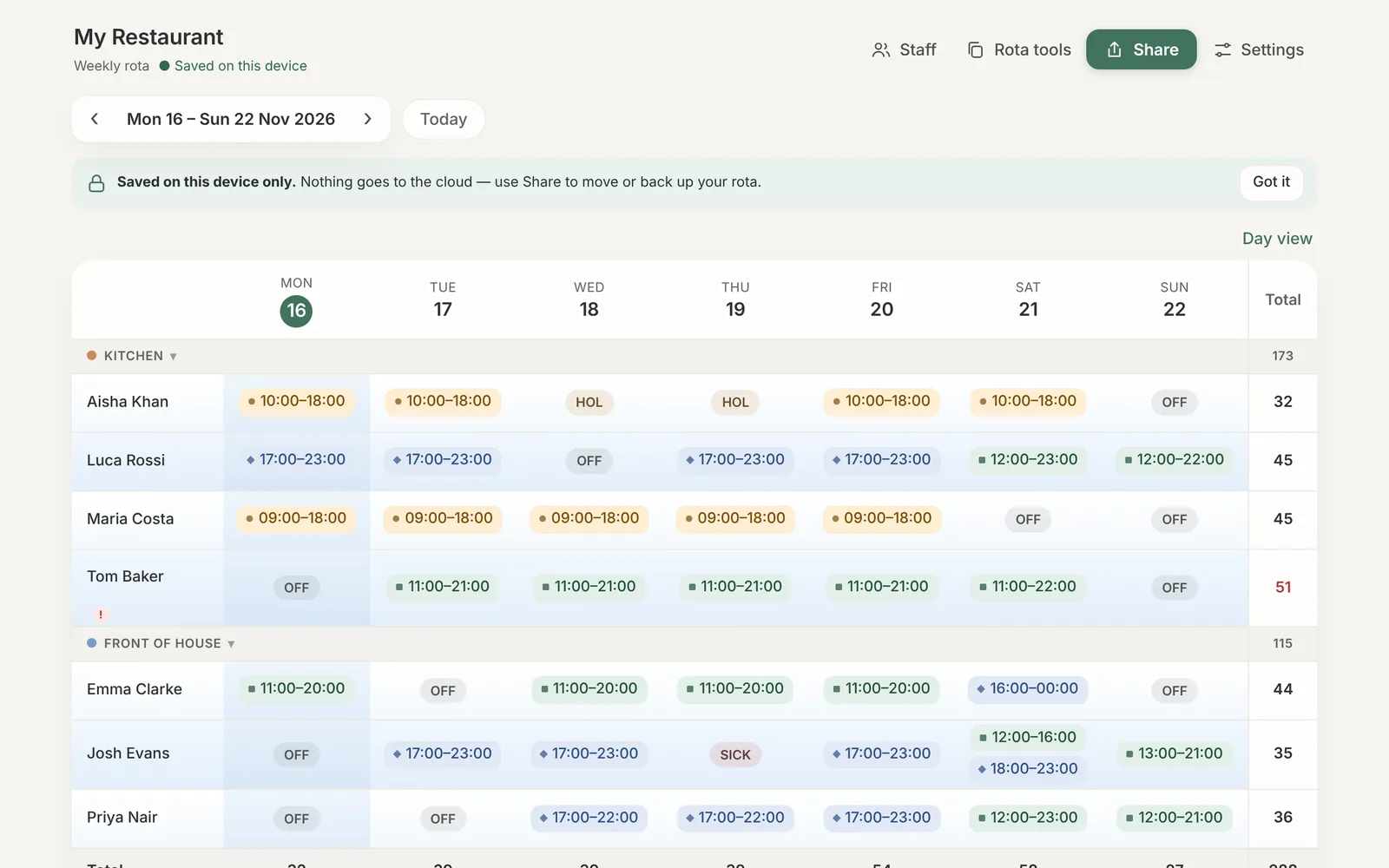
Everything is built around one weekly grid. Here is what sits around it.
One grid for the whole week
- Shifts, split shifts, notes and breaks per person per day
- Statuses such as holiday, sick, day off and training
- Drag a shift to another day or person, hold Ctrl to copy, or use Ctrl+C and Ctrl+V
- Copy a day or a week, repeat last week, clear a column
- Undo and redo, so a wrong tap costs nothing
- Sections and roles you can rename, reorder or delete
Cost and compliance
Labour cost and percentage
Hourly or salaried, with daily and weekly totals. Enter sales per day and see labour as a percentage against your target.
Rest between shifts
The minimum rest period is yours to set. A short turnaround is highlighted before the rota is published.
Weekly hours and cover
Set a weekly maximum per person and a minimum number of staff per day. Breaks deduct automatically after the hours you choose.
For the team
Personal view
Each person sees their own shifts in a plain, readable layout. No pay, no colleagues.
Publish when ready
Weeks stay private while you work on them. Publishing locks the week and makes it visible to staff.
Time off requests
Staff request holiday or time off from their own login. You approve or decline, and approved leave lands on the rota.
Run the team day to day
Open shifts
Post a shift nobody is on. Staff say they can work it and you assign it in one tap.
Shift swaps
Staff offer a shift, a colleague takes it, you approve. Both rotas update.
Availability
Staff set the days and hours they can't work, and you are warned before assigning them.
Clock in and out
Planned against worked hours per person each week, with a CSV timesheet to download.
Templates
Save a good week and apply it to any other week.
Messages and alerts
Post announcements to the whole team and see requests waiting for you at a glance.
Print, share and keep
Print and PDF
A clean A4 page with your business name, address and sign-off line. Choose what to show and what to hide.
Export and backup
Download everything as a file at any time. Your data is yours, including after your trial ends.
Installs like an app
Add it to a phone's home screen or a desktop. It opens full screen and loads without a connection.